被跨域折磨了两天,可算是整明白了,记录一下各种配置。
1.corsFilter
网上各种方法都不好使,只有这么一种可以,可能是哪里的配置问题。
1
2
3
4
5
6
7
8
9
10
11
12
13
14
15
16
17
| @Configuration
public class CorsConfig {
@Bean
public CorsFilter corsFilter2() {
UrlBasedCorsConfigurationSource source = new UrlBasedCorsConfigurationSource();
CorsConfiguration config = new CorsConfiguration();
config.setAllowCredentials(true);
config.addAllowedOrigin("*");
config.addAllowedHeader("*");
config.addAllowedMethod("*");
config.setMaxAge(3600L);
source.registerCorsConfiguration("/**", config);
return new CorsFilter(source);
}
}
|
2.后端controller对cookie的配置
注意添加cookie时要,设置cookie的各种属性。细节在代码里面。
1
2
3
4
5
6
7
8
9
10
11
12
13
14
15
16
17
18
19
20
21
22
23
24
25
26
27
28
29
30
31
32
33
34
35
36
37
38
39
40
| @Controller
@RequestMapping("/test")
public class TestController {
@GetMapping("/addCookie")
@ResponseBody
public String addCookie(@RequestParam("name") String name,@RequestParam("value") String value,HttpServletRequest request,HttpServletResponse response) {
System.out.println(name+" "+value);
Cookie cookie = new Cookie(name,value);
cookie.setDomain(request.getServerName());
cookie.setHttpOnly(false);
cookie.setPath(request.getContextPath());
System.out.println(request.getServerName()+" "+request.getContextPath());
cookie.setMaxAge(60*60*24);
response.addCookie(cookie);
return "success";
}
@GetMapping("getCookie")
@ResponseBody
public String getCookie(@RequestParam("name") String name,HttpServletRequest request) {
Cookie[] cookies = request.getCookies();
if (cookies == null) {
return "no cookies";
}
for (Cookie cookie : cookies) {
if (cookie.getName().equals(name)) {
return cookie.getValue();
}
}
return "no such cookie";
}
}
|
3.前端测试代码
1
2
3
4
5
6
7
8
9
10
11
12
13
14
15
16
17
18
19
20
21
22
23
24
25
26
27
28
29
30
31
| <!DOCTYPE html>
<html lang="en">
<head>
<meta charset="UTF-8">
<title>Title</title>
<script src="https://cdn.bootcdn.net/ajax/libs/axios/0.20.0-0/axios.js"></script>
<script src="https:
</head>
<body>
<button id="btn1">按钮1</button>
<button id="btn2">按钮2</button>
<script>
let config = {headers: {'Content-Type': 'application/x-www-form-urlencoded'}};
$(function () {
axios.defaults.withCredentials = true;
$("#btn1").click(function () {
//这里url注意,如果上面domain写的是ip,这里也得写ip,写的是aa.com,这里就是aaa.com
axios.get('http:
console.log(res.data);
});
});
$("#btn2").click(function () {
axios.get('http://aaa.com/test/getCookie?name=demoData').then(res => {
console.log(res.data);
});
})
})
</script>
</body>
</html>
|
4.测试
测试时候建议用idea打开网页的方式打开,这样就是跨域请求了。
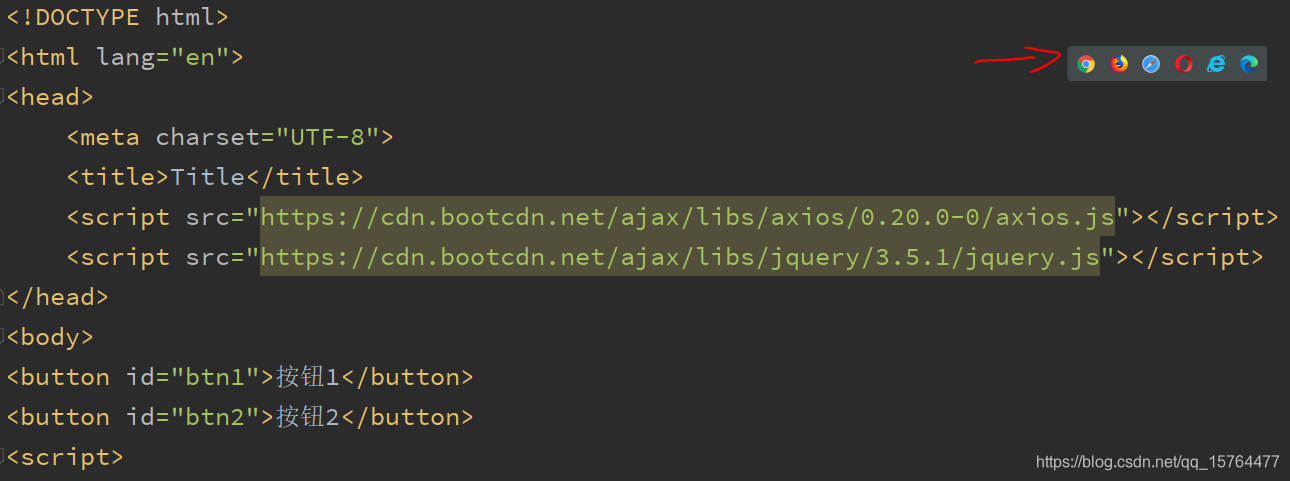
最后测试时候,谷歌永远不好使,其他浏览器都好使。
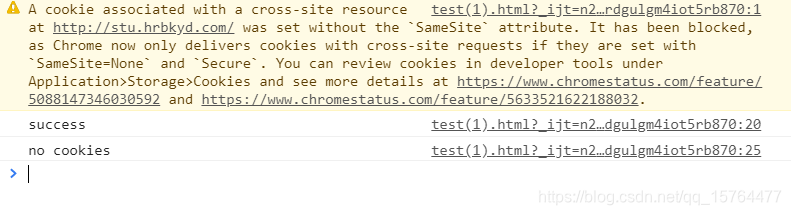
把这段错误信息查找一下,发现是谷歌浏览器新加的特性,80版本以上才有。可以这么处理:
- 地址栏输入:chrome://flags/
- 找到SameSite by default cookies和Cookies without SameSite must be secure
- 将上面两项设置为 Disable
或者可以设置response的header,不过我没成功。后记
除了更改chrome设置,还可以直接写代码里面。springboot解决谷歌80及以上版本的SameSite设置cookie失效